
At first, Unsharp Mask sounds like a technique for achieving soft-edge camoflage.
Actually, it’s a Photoshop filter designed to sharpen a subject against a background. But it can be used in model photography to really make details pop.
I’ve played around with it in a few of my “fake reality” attempts, but tonight I tried it on some standard shot-against-posterboard shots for the first time and, well, the results are pretty staggering.
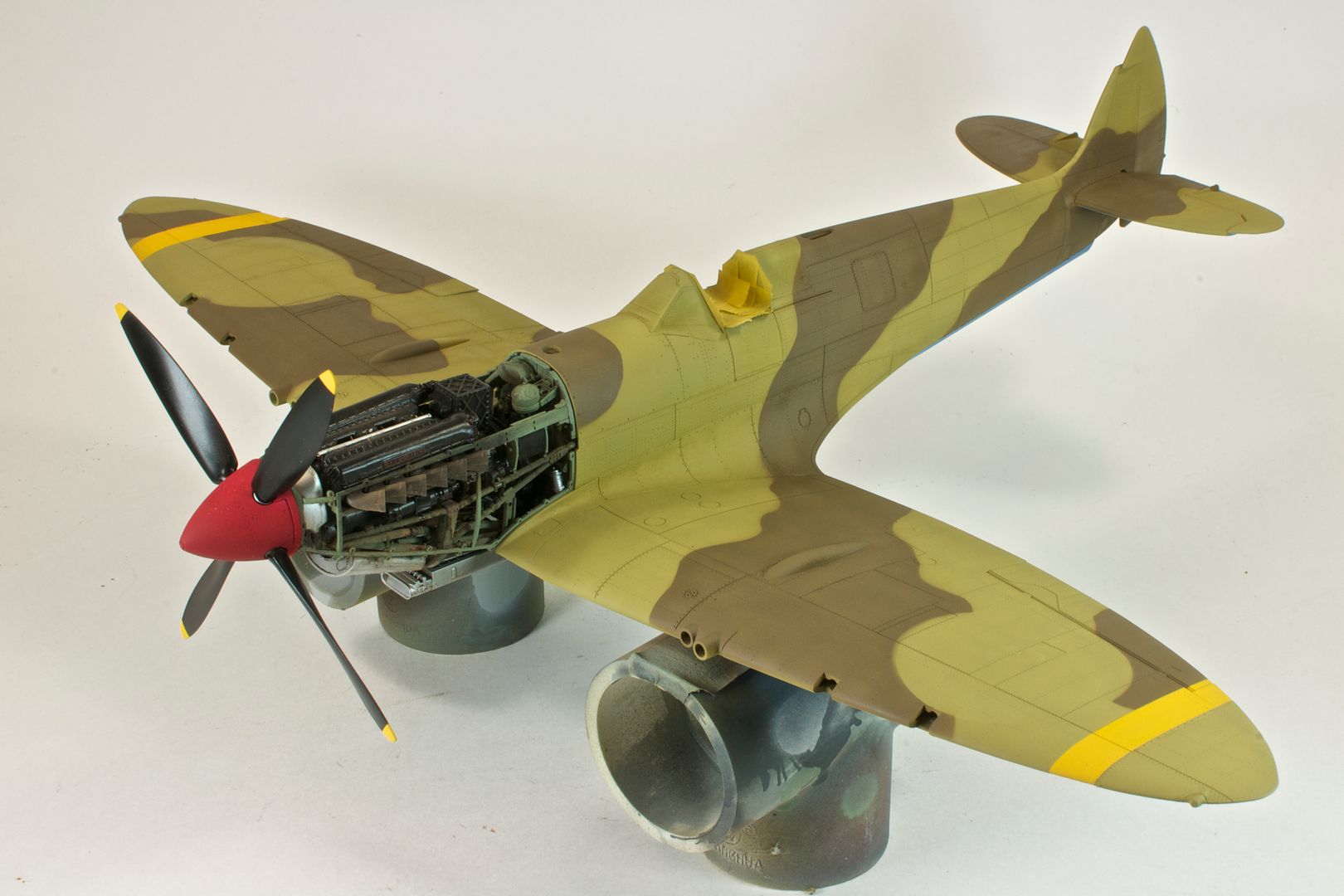
Here’s my Spitfire Mk.VIII run through standard processing in Apple Aperture 3:
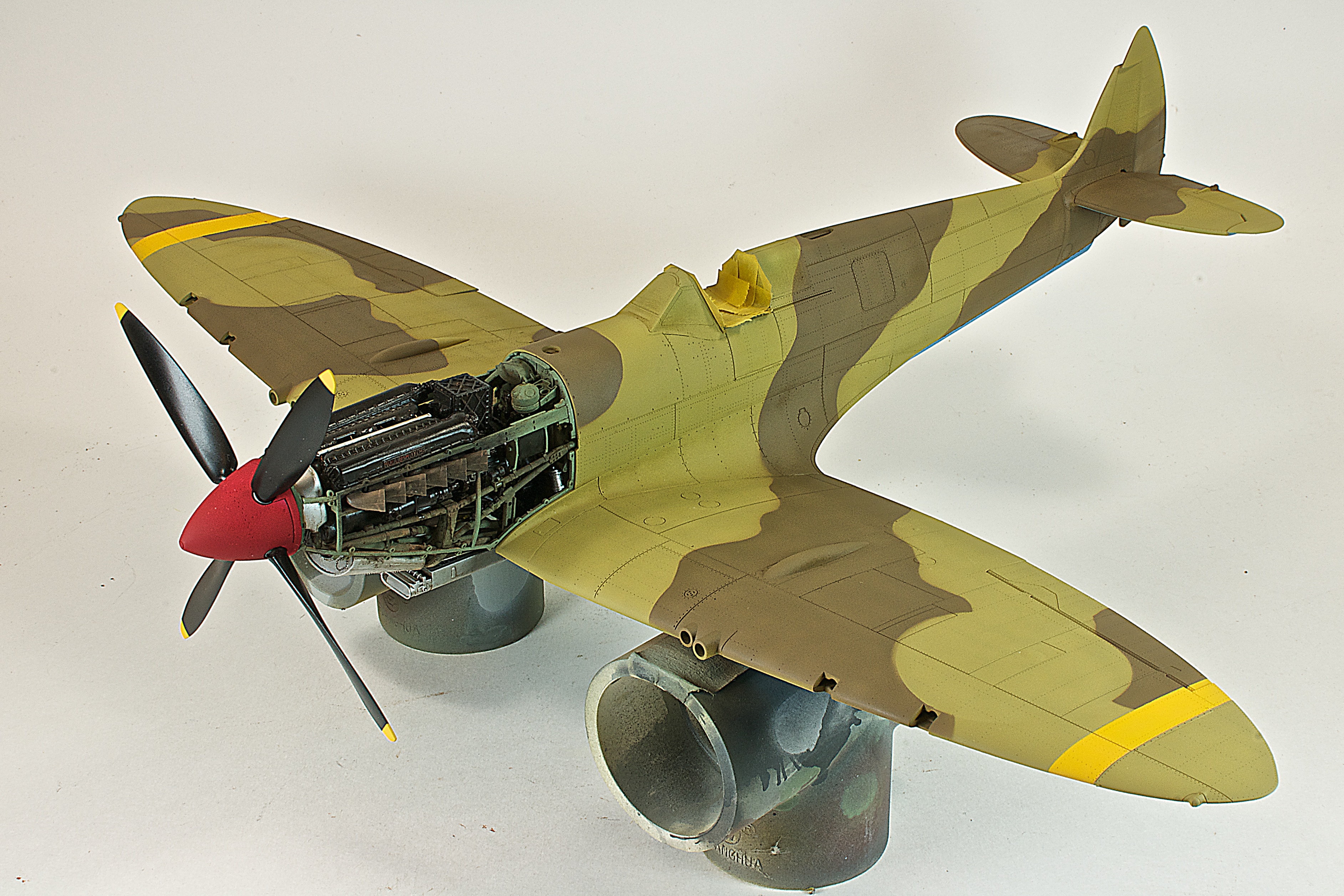
And here’s the same shot, run through Photoshop CS3 with Unsharp Mask applied:
Looking at armor, here’s the Panzer IV Ausf.G I built earlier this summer, with normal Aperture processing, and then with Photoshop and Unsharp Mask:
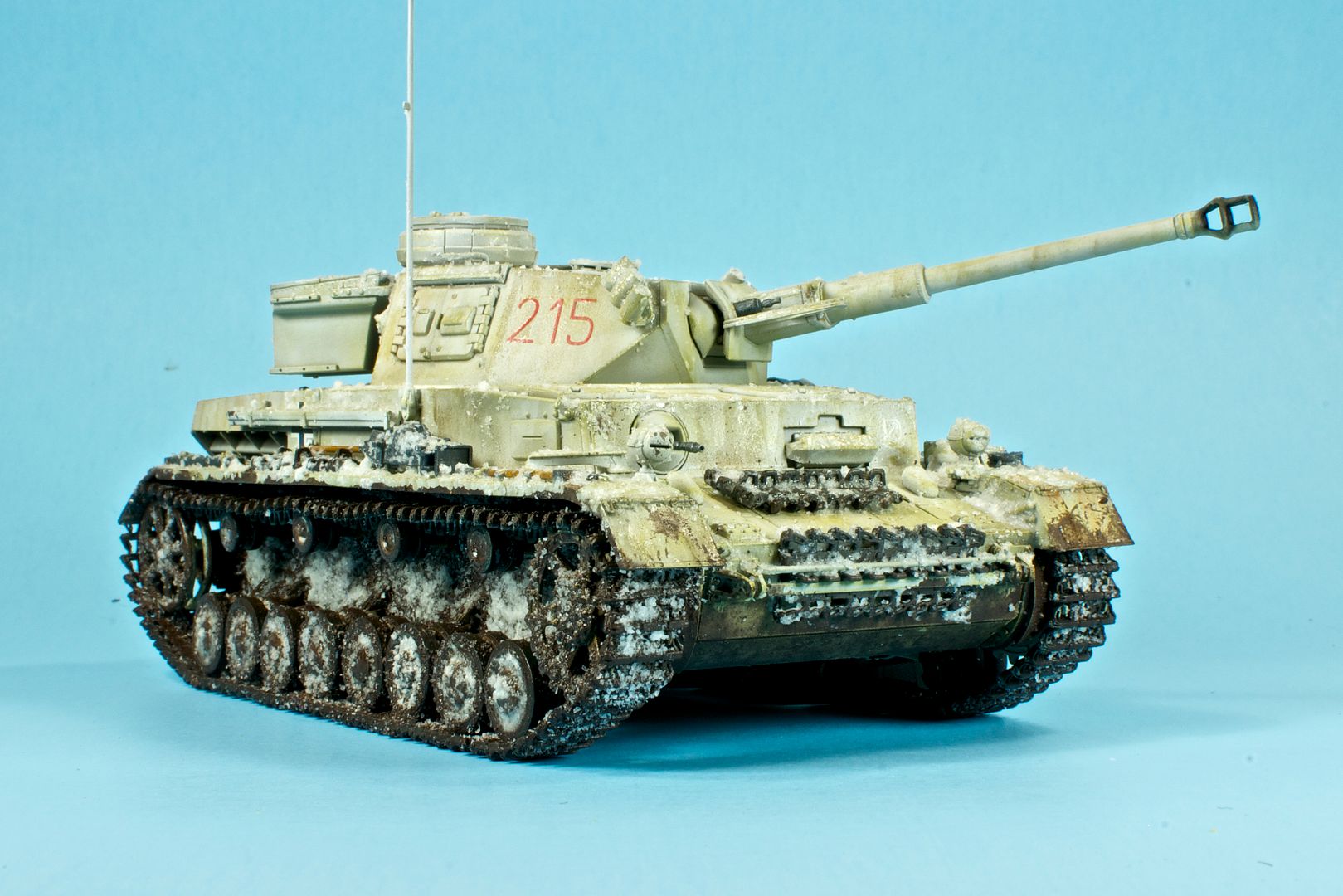
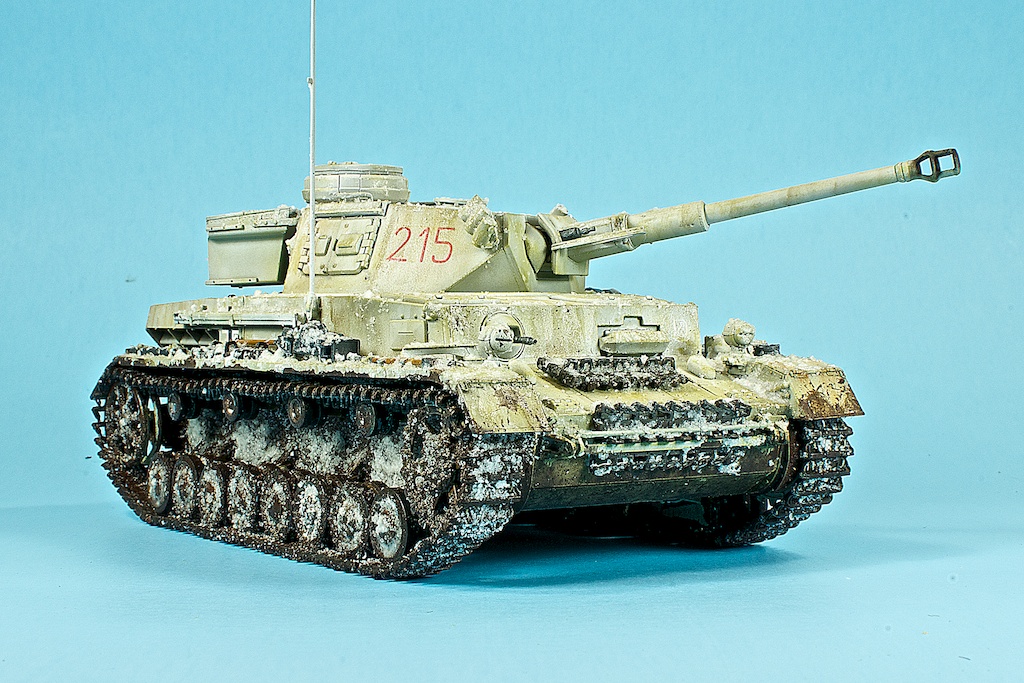
I swear, after seeing the effects, the original shots seem blurry all of the sudden.
Unsharp Mask is certainly a step outside my usual workflow, and a bit tedious (Photoshop makes my Mac think too hard…). As such, it’s probably not something I’d pull out for work in progess shots, but it may be worth it for a handful of hero pics at the end of a build.
